The problem, before
Long checks (downloads, comparisons, backup checks) take up the day, or don’t get done.
What the agent does, step by step
- You list the tasks that can run overnight.
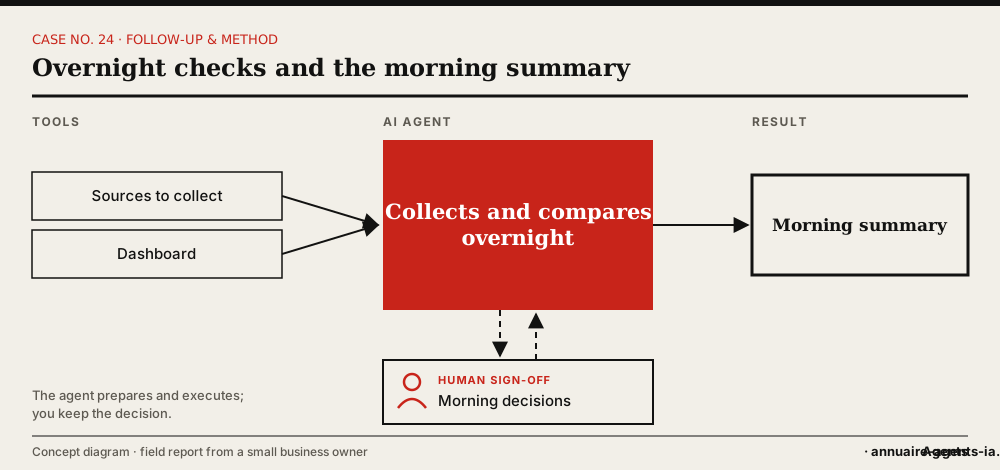
- The agent runs them in the background, possibly with sub-agents in parallel.
- It collects, compares and prepares the discrepancies.
- It makes no binding decision overnight.
- In the morning, it sends you a short summary: done, to decide, anomalies.
The tools involved
- A machine that stays on (Mac mini, server or cloud)
- Task dashboard
- Email or WhatsApp
The safeguards: what stays under human sign-off
- At night, the agent prepares; it sends, pays and deletes nothing.
- The summary clearly separates what awaits your decision.
- Task failures are flagged, not hidden.
What it changes
- Part of the work is done before your day starts.
- A summary that goes straight to the decisions.
- The main conversation stays available during long tasks.
Benefits described by the owner, without measured figures.
In real life
With work running in parallel, a dashboard was created: in progress, to decide, done, scheduled. Delegating more also means making the work visible.
Which agents can do it?
 OpenClaw LivedLived: overnight tasks on a Mac mini that stays on.
 Grok BotWorks in the background, even with your computer off.
 Hermes AgentNote: a local agent that’s stopped no longer runs its scheduled tasks.
Inspired by the first-hand account of a small business owner who set up these uses with OpenClaw on a Mac mini. The other agents mentioned have the necessary capabilities according to their vendors; AgentsIA hasn’t tested them on these cases. No figures on gains are put forward.
How to start: the checklist
- List the long tasks that involve no binding decision.
- Choose a machine that stays on.
- Set the time and format of the summary.
- Set up a simple dashboard.
- Review the summary every morning for two weeks.
Before you start, read the 10 rules for delegating to an AI agent.