The problem, before
The phone system and routers were installed once, then forgotten: default passwords, software never updated, open ports. Nobody in-house knows how to audit them.
What the agent does, step by step
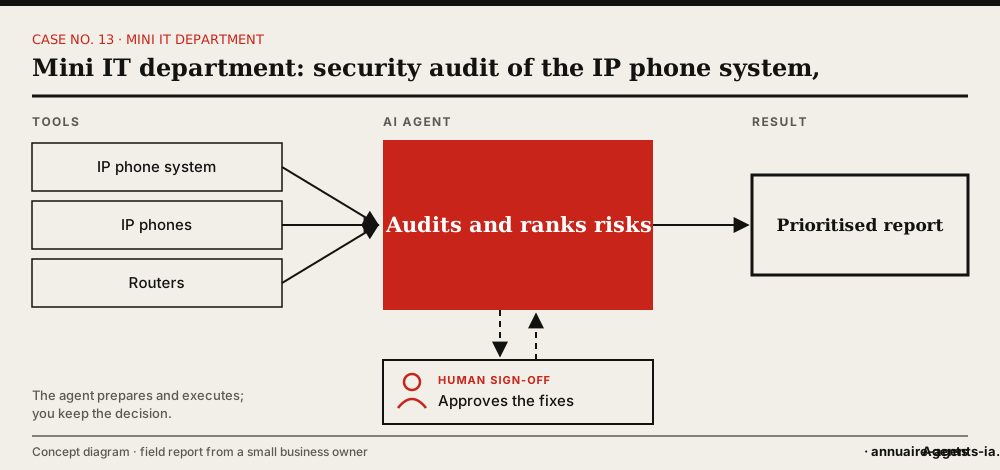
- The agent lists the equipment: phone system, IP phones, routers.
- It checks software versions, accounts, default passwords and exposed services.
- It ranks the findings by severity.
- It proposes fixes, with their impact.
- Once you agree, it applies the low-risk fixes and schedules the others.
The tools involved
- IP phone system
- IP phones
- Routers and firewall
- Password vault
The safeguards: what stays under human sign-off
- Audit first, changes afterwards, with your approval.
- Changes that could cut off the phones are made outside working hours, with a rollback planned.
- New passwords stored in the vault, never in a conversation.
What it changes
- Forgotten equipment brought back under control.
- A clear, prioritised list of risks.
- A skill the business didn’t have.
Benefits described by the owner, without measured figures.
In real life
These audits are part of the “mini IT department” role gradually entrusted to the agent, a function the company didn’t have.
Which agents can do it?
 OpenClawThis case touches your local network: an agent installed on your premises (OpenClaw, Hermes Agent) is simplest.
 Hermes AgentThis case touches your local network: an agent installed on your premises (OpenClaw, Hermes Agent) is simplest.
Inspired by the first-hand account of a small business owner who set up these uses with OpenClaw on a Mac mini. The other agents mentioned have the necessary capabilities according to their vendors; AgentsIA hasn’t tested them on these cases. No figures on gains are put forward.
How to start: the checklist
- List your network and phone equipment.
- Give the agent a dedicated admin account.
- Ask for an audit report, with no changes.
- Approve the fixes one by one.
- Schedule a regular audit.
Before you start, read the 10 rules for delegating to an AI agent.